Submitted by Joe Semaan on
badge-biometrie-scene-unifiee-ia.webp
published on 30/10/2026

Badge vs. Biometrics: Which Access Control System Is Right for Your Business?

Written by Jonathan Tripier

Introduction to Access Control in the Workplace

Protecting your premises means protecting more than just the walls. It means securing sensitive data, production equipment and, above all, the people who work there every day. As intrusion attempts and security threats continue to evolve, access control has become an essential part of a business's security strategy.

Access control refers to the technical and organizational measures used to grant or deny a person's entry to a specific location. It relies on verifying an identity or access authorization before a physical entry point is unlocked.

Two main types of solutions dominate the market today: access cards and biometrics. Each follows a different approach, with its own strengths and limitations. The choice between these systems depends on several factors: available budget, the level of security required for each area and the applicable legal requirements. This article explains the considerations behind each technology to help you choose the solution best suited to your business.


Card-Based Access Control: A Proven, Established Solution

Access cards remain one of the most widely used access control solutions in businesses. They are simple, quick to deploy and have a long track record.

How Does an Access Card Reader Work?

An RFID access card reader uses contactless identification. The chip embedded in the card sends a signal that the reader detects, then checks the access permissions associated with that identifier. Several technologies are available:

RFID (Radio Frequency Identification) remains the most widely used technology for business access control. NFC (Near Field Communication), a more recent technology, enables very short-range communication and can be easily integrated into smartphones. MIFARE has also become an established standard, known for its encryption capabilities and reliability.

There are also physical access cards, such as plastic cards or key fobs, and virtual credentials stored directly in a mobile app. The latter format is becoming more common, partly because it eliminates the need to manage physical credentials and makes it easier to revoke access remotely.

The Benefits of Access Cards for Businesses

Access cards are popular first and foremost because they are simple to use. Here are the main advantages behind their lasting appeal:

  • Fast deployment: an access card system can generally be installed within a few days, without major construction work.
  • Cost-effective: readers and cards remain affordable, even for small and midsize businesses with limited budgets.
  • Easy to use: employees do not need any special training.
  • Immediate revocation: if a card is lost or an employee leaves, access can be deactivated in just a few clicks, without changing the locks.

Access Card Limitations and Security Vulnerabilities

Access cards are not foolproof. Their main weakness lies in their very nature: they are physical objects, and objects can be lost, stolen or shared.

  • Loss or misplacement: a lost card creates an immediate security gap, especially if it is not reported quickly.
  • Sharing between coworkers: this fairly common practice undermines the principle of individually traceable access.
  • Cloning risk: older cards using basic 125 kHz technology can be copied in minutes with readily available equipment. Newer cards using encrypted technologies such as MIFARE DESFire are much more resistant to this type of attack.

These vulnerabilities do not diminish the value of access cards for general entry, but they do show their limitations when a higher level of security is required.

GettyImages-1340936123.jpg

Biometrics in the Workplace: A Higher Level of Security

While access cards rely on an object, biometrics rely on the individual themselves. This difference changes the equation, particularly when protecting the most sensitive areas.

What Biometric Technologies Are Available?

Several biometric access technologies are available, with varying levels of reliability and cost.

Fingerprint recognition remains the most common and established technology, having been used for years across many industries. Facial recognition and iris recognition are developing rapidly, particularly because they are convenient and require no physical contact. Finally, vein pattern recognition offers one of the highest levels of security available, as these patterns are extremely difficult to falsify or replicate.

The Main Benefits of Biometric Systems

The key advantage of biometrics is straightforward: the identifier is you. It cannot be lost, lent to someone else or stolen in the same way as a card.

This level of security makes biometrics a reference solution for highly sensitive areas, such as server rooms, research laboratories and executive areas. User convenience is another significant benefit: there is no need to search for a card at the bottom of a bag. Access can feel seamless and, depending on the technology, may even be contactless.

GettyImages

Biometric Security Constraints: U.S. Privacy and Employment Laws

Biometrics involve particularly sensitive information about the human body. In the United States, the rules governing its collection and use vary by state and by context. Businesses must therefore assess the laws that apply where they operate before deploying a biometric system.

A key consideration is the purpose and proportionality of the system. A business should be able to explain why this level of security is appropriate for the sensitivity of the location or the information being protected. Securing access to ordinary administrative offices may not, in itself, justify the use of biometrics.

Particular care is needed when biometrics are used in the workplace, including for employee timekeeping. There is no single nationwide rule that makes biometric time clocks categorically lawful or unlawful in every situation. Requirements differ by state. For example, Illinois' Biometric Information Privacy Act (BIPA) requires written notice, disclosure of the purpose and retention period, and a written release before collection. Texas law requires prior notice and consent for capturing biometric identifiers for a commercial purpose. The applicable rules and any employment-specific requirements should be checked before implementation.

Finally, installation costs are generally higher than for card-based systems because of the sensors and associated processing software.

entreprise
GettyImages

Direct Comparison: Access Cards or Biometrics, Which Should You Choose?

There is no one-size-fits-all answer. The right choice depends on the size of your business and, above all, the areas you need to protect. The entrance to an industrial site does not have the same security requirements as a server room or an R&D laboratory.

For a small or midsize business with typical employee traffic, access cards are often the most relevant choice: simple, cost-effective and sufficient for general access. For a larger organization with areas of significant strategic value, a differentiated approach may be appropriate, with biometrics used at selected critical access points.


The table below summarizes the main criteria to consider when making your decision.

Evaluation criteria Card-Based Access Control Biometric Access Control
Installation and equipment cost Low to moderate (affordable readers, very low per-card cost) High (expensive biometric sensors and complex processing software)
Security level Medium to high, depending on the chip's encryption Very high; the identifier is tied to the individual
Risk of breaches or fraud Theft, loss, forgetting, sharing between coworkers, cloning of older cards Very low; the individual's physical presence is required
Legal compliance and privacy Generally simpler, but requirements vary by state and use case Strictly regulated in some states; notice, consent and other safeguards may apply
Maintenance and HR administration Time-consuming: replacing lost cards and managing day-to-day forgotten cards Low; no physical credential to manage and the identifier itself cannot be lost
User convenience Fast and familiar, but users must carry a credential Seamless, with no physical credential to carry, depending on the technology
Ideal use case General building access, high employee traffic, timekeeping where permitted Highly sensitive areas: server rooms, R&D, executive areas

Hybrid Solutions: Combining Access Cards and Biometrics

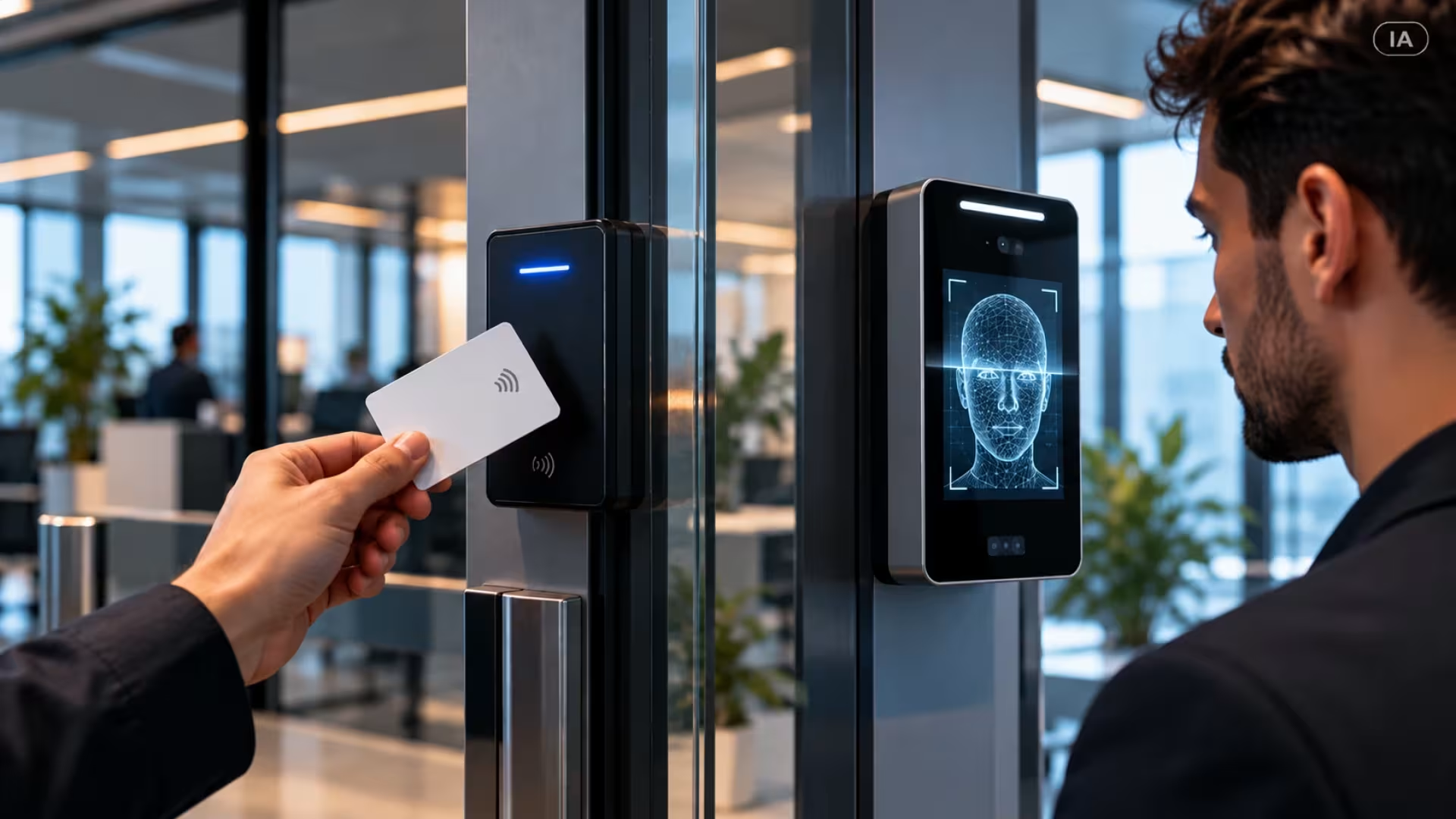
Between an all-card and an all-biometric approach, there is a third option: combining the two. This is known as multi-factor authentication (MFA), applied to physical access rather than just digital systems.

The idea is simple: to enter a critical area, a person must present both an access card and biometric identification. This double check significantly reduces the risk of unauthorized access, even if the card is stolen.

This approach can also help balance security and privacy when it is designed carefully. Rather than storing every employee's biometric data in a central database, which could be vulnerable in the event of a breach, one possible architecture is to store the biometric template on the individual's access card. In that configuration, the template is not held in a central database. Whether this design is appropriate and compliant depends on the applicable law, the system's technical safeguards and how the data is used.

Pictogramme utilisateur

Jonathan Tripier – Pre-Sales Engineering Manager

"Choosing between access cards and biometrics is not simply a matter of technology; it requires an overall assessment of risk. In a context shaped by ANSSI recommendations and the growing requirements of the Cyber Resilience Act, securing physical and digital identities has become a central issue. Systems engineering makes it possible to define the most appropriate level of authentication for each access point while ensuring that the infrastructure remains resilient to physical and cyber threats." 

Conclusion

Access cards or biometrics: there is no universal answer, only a solution suited to your circumstances. Access cards remain a reliable and cost-effective standard for general access to your premises. Biometrics, meanwhile, are best reserved for areas where even a minor security breach could have serious consequences.

The right strategy often involves combining the two approaches according to the areas being protected, with support from specialists who can assess your actual needs. That is the value of a security audit carried out by experts who understand both the available technologies and the regulatory requirements that govern their use.

Looking to identify the access control system best suited to your business? Scutum experts can support you from the security assessment of your premises through to the installation of the solution most appropriate for your operations.

FAQ: Frequently Asked Questions About Access Cards and Biometrics

Can biometrics legally be used for employee timekeeping?

There is no single answer across the United States. The rules depend on the state and the circumstances. For example, Illinois BIPA requires written notice, disclosure of the purpose and retention period, and a written release before biometric data is collected. Texas law requires prior notice and consent for capturing biometric identifiers for a commercial purpose. Businesses should check the laws applicable to their locations and workforce before using biometrics for timekeeping.

Does a biometric system store every employee's fingerprints?

Not necessarily. A biometric system does not have to store raw fingerprints in a central database. Depending on the system design, it may store a biometric template on an individual credential, such as an employee's access card. The storage method should be assessed against the applicable legal requirements and the system's security safeguards.

Can an access card be hacked or copied?

Yes. Older technologies, such as 125 kHz cards, can be cloned relatively easily. Modern cards using encrypted protocols, such as MIFARE DESFire, are much harder to copy.