Submitted by Justine.Pource… on
Télésurveillance
published on 30/09/2026

CCTV and remote monitoring for businesses: the complete guide to securing your premises

Installing a remote monitoring system in your business is a strategic step to deter intruders, monitor your property remotely and collect evidence in the event of an incident.

A burglary does not only cost the value of the equipment that has been stolen. There is also the shopfront to replace, lost stock, production downtime and customers to reassure.

Security is no longer simply a cost. It is part of business continuity. Insurers pay close attention to it, and your customers rely on it.

However, the project can seem complex. Which cameras should you choose? Where should footage be stored? What does the law say about monitoring employees? Between technical choices and legal requirements (UK GDPR, the ICO, employment law), a mistake can quickly prove costly.

This guide takes you through the process step by step. You will find the benefits of a professional remote monitoring system, the 6-step method for installing one, the rules to follow and some budget guidelines.

Why install a remote monitoring system in your business?

A well-designed system addresses four key challenges.

Video

Deterrence

Highly visible cameras are the first line of defence against malicious acts. Many attempted thefts or acts of vandalism are stopped before they even begin.

Headset

Remote alarm verification

When an alarm is triggered, an operator checks in real time what is happening on site, day or night. This is the role of video alarm verification: distinguishing a genuine intrusion from a false alarm before an intervention is triggered. You gain speed and avoid unnecessary call-outs.

Fingerprint

Evidence collection

In the event of theft, damage or assault, recorded footage can be used by the police, your insurer or the courts.

Shield-Check

Employee safety

Remote monitoring also protects your teams, particularly those working shifts, at night or on isolated sites. Knowing that a monitoring centre is watching over the site 24/7 can make a real difference to everyday security.

Centre de télésurveillance Scutum

The 6 key steps for a successful installation

A reliable installation follows a clear process. Here are the six steps, in order:

1 Carry out a security audit and define your needs
2 Choose the right equipment and technology
3 Understand and comply with the legal framework
4 Physically install the equipment
5 Configure the system
6 Train users

1. Carry out a security audit and define your needs

You cannot choose a camera before knowing what it needs to protect. That is what the audit is for.

  • Identify critical areas: entrances and exits, storage areas, tills, car parks and server rooms.
  • Define the purpose of each camera: simple monitoring of an area, identification of people or number plate recognition. The more precise the objective, the better the camera needs to perform.
  • Assess the constraints: daylight and night-time lighting, exposure to the weather and the distance to be covered.
Audit de sécurité.png
tick icon

Audit checklist

Which areas have already experienced an incident (theft, intrusion, damage)? Which goods, stock or data are the most sensitive? Do any employees work alone, at night or at weekends? Do I only need an alert, or do I need a human response when an alarm is triggered? Is my site open to the public? What budget can I allocate to the installation and then to the monthly subscription?

2. Choose the right equipment and technology

Cameras: each type of business security camera is suited to a particular use:

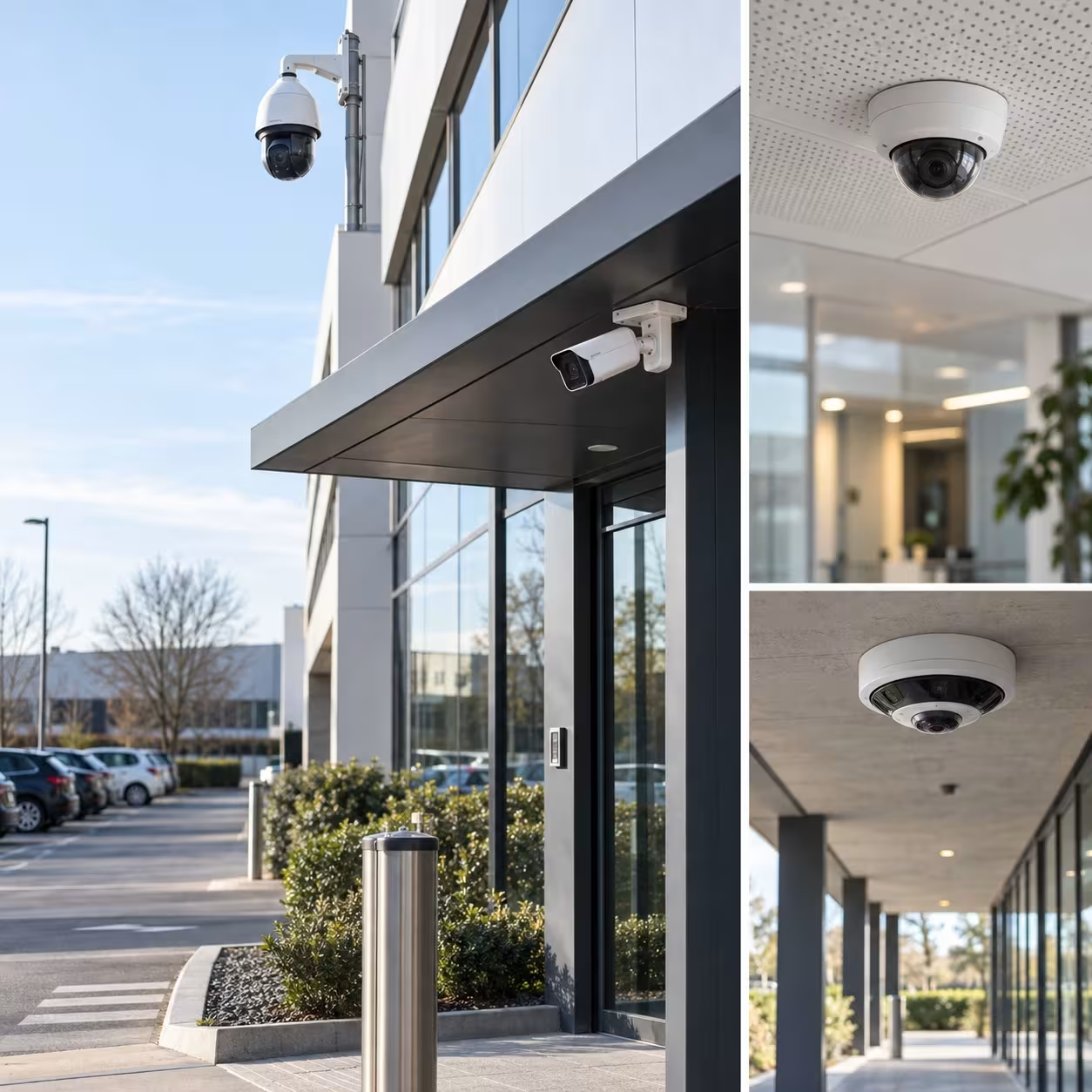
  • Dome: discreet and ideal for indoor areas (reception areas, offices, warehouses).
  • Bullet: more visible and therefore more deterrent, suitable for outdoor areas (facades, entrances).
  • PTZ (motorised): rotates and zooms remotely to cover large areas such as car parks.
Caméras dômes, bullets, PTZ et panoramiques

Image quality: Full HD is sufficient for monitoring an area. 4K is suitable for identifying a face or number plate from a distance. Infrared night vision is essential for effective 24/7 monitoring.

Caméras 4K

Video storage:

Local recorder (DVR/NVR) Cloud
Security Footage may be exposed if the equipment is stolen or destroyed Footage stored off-site
Accessibility Quick access on site Remote access from anywhere
Cost Initial investment, no subscription Monthly subscription, limited hardware

Many businesses combine the two to avoid losing any footage.

Connectivity: a wired connection (IP/PoE) carries both data and power through a single cable. Wireless (Wi-Fi) is easier to install but more vulnerable to interference and disruption. For businesses, we recommend a wired connection: it provides a stable image without interruptions.

CCTV or remote monitoring? This is one of the most important decisions in your project.

  • With CCTV, you monitor the footage yourself, either live or afterwards.
  • With remote monitoring, a monitoring centre is automatically alerted and can respond 24/7.

At Scutum, every alarm is assessed by an operator, with the support of video analytics, before any intervention is triggered. The system does not simply record: it responds consistently to every alarm. To find out more, read our article Video surveillance vs. remote monitoring: what is the difference for your business?

3. Understand and comply with the legal framework

The regulations governing CCTV and remote monitoring in businesses are strict. Here are the key rules.


The principle of proportionality: you can only record what is necessary for a specific security purpose. Excessive surveillance is not permitted.


Informing people: you must clearly inform people that CCTV is in operation and explain its purpose. This is normally done through clearly visible signs at the entrance to the monitored area. Businesses using CCTV must also comply with applicable data protection requirements and, in many cases, pay the ICO data protection fee.

Example of an information sign

“CCTV in operation.
Data controller: [Company name].
Purpose: security of people and property.
CCTV footage retention period: [30] days.
To exercise your rights, contact: [department / email address].
More information: ico.org.uk”


Employees: the rules governing workplace CCTV protect their privacy:

  • You must inform employees about the monitoring and explain its purpose.
  • You must have a lawful basis for monitoring employees and ensure that the monitoring is necessary and proportionate.
  • You should use the least intrusive means necessary to achieve the security objective.
  • You should not use CCTV installed for security purposes to continuously monitor employee performance.
  • Cameras should not normally be installed in areas where employees have a high expectation of privacy, such as toilets and changing rooms.

The ICO states that employers must be clear about the purpose of employee monitoring, document their justification and avoid collecting more information than necessary.


Customers and visitors: clear signage at the entrance informs them that CCTV is in operation.


UK GDPR and the ICO: you must also:

  • identify an appropriate lawful basis for processing personal data;
  • include the system in your records of processing activities, where applicable;
  • limit the retention period for footage to what is necessary for the purpose of the system;
  • secure access to footage, restricting it to authorised people;
  • consider whether a Data Protection Impact Assessment (DPIA) is required, particularly where surveillance is likely to result in a high risk to individuals, such as workplace monitoring.


The UK GDPR does not set a universal retention period for CCTV footage. The retention period should be based on the specific purpose and business need, and should be reviewed regularly.

These requirements can sometimes be seen as a constraint. When they are properly incorporated from the design stage, however, they instead provide protection for the business, both in the event of an inspection and in the event of a dispute.
4. Physically install the equipment

This is where quality of execution makes the difference.

  • Locations and viewing angles: cover every area identified during the audit, with no blind spots and avoiding backlighting.
  • Cable routing: follow professional installation practices (trunking, suspended ceilings) for a discreet, durable installation that is difficult to tamper with.
  • Power supply: provide a stable power supply and a UPS, so that the system continues to operate in the event of a power cut.

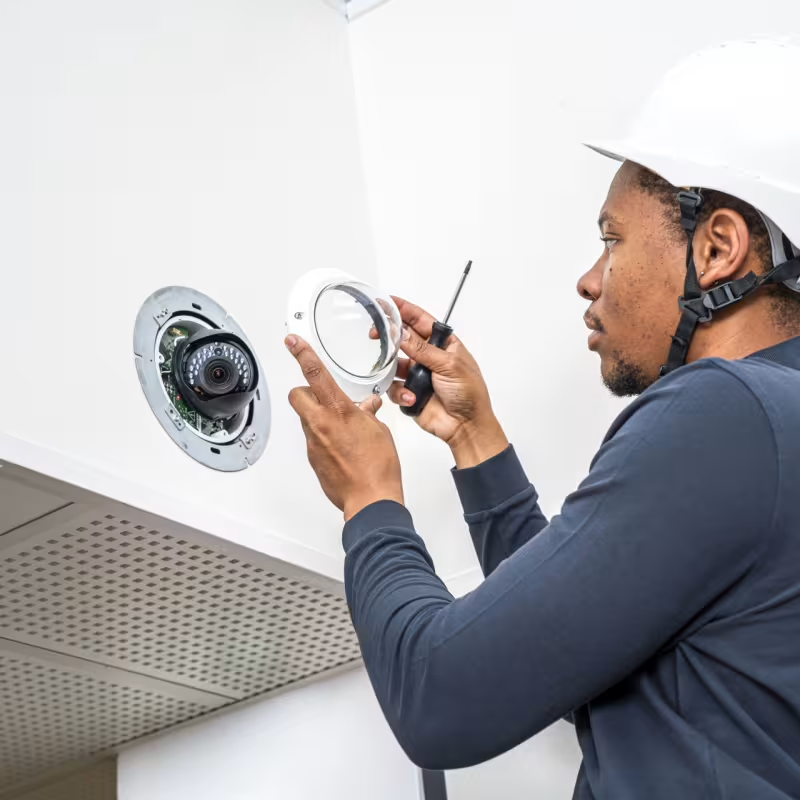
Using a qualified installer such as Scutum helps ensure a reliable installation that complies with applicable standards.

Scutum surveillance camera - tech 2

5. Configure the system

Good equipment that is poorly configured does not provide adequate protection. Configuration includes:

  • configuring the recorder and cameras (resolution, recording duration, timestamping);
  • motion detection, configured zone by zone to limit false alarms;
  • creating secure, individual user accounts for authorised people only;
  • connecting to the monitoring centre, if you have chosen this option.

6. Train users

The final stage is often overlooked. People authorised to view footage must know how to:

  • use the system, both live and when reviewing recordings;
  • apply confidentiality rules;
  • respect the rights of people captured on camera (access, retention and deletion).

A system that is compliant on the day of installation must remain compliant in everyday use.

Femme qui sourit avec ses collègues pendant la formation DATI Connect

Conclusion: turn theory into practice with an expert

A successful installation rests on three pillars:

  • a precise audit of your actual needs;
  • equipment suited to your site and activity;
  • strict compliance with the law, from UK GDPR to employment law.

Entrusting your project to Scutum means having a single point of contact for all three areas, from the audit through to 24/7 monitoring. Our expertise is built on more than 35 years of experience and more than 425,000 protected sites. One ambition: to give you operational certainty, so that your success can continue over the long term.

Contact our experts today for a security audit and a tailored proposal.

FAQ: your questions about installing remote monitoring

Can dummy cameras be installed?

Yes, dummy cameras can be used in certain circumstances. They may have a deterrent effect against attempted intrusion or vandalism. However, they cannot detect an incident or record evidence. They cannot be integrated into a remote monitoring or video alarm verification system either. For effective protection, they are therefore not recommended as the sole security measure.

How long can CCTV footage legally be retained?

The retention period must be justified by the purpose of the system. Under UK data protection law, there is no universal fixed retention period for CCTV footage. Images should be kept for no longer than necessary for the specific purpose for which they were collected. Businesses should define and regularly review their retention period and be able to justify it. Footage may be retained for longer when it is relevant to an investigation or legal proceedings.

Can I film the public highway from my business premises?

As a general rule, CCTV should be directed towards the private areas of the business. The public highway should not be monitored unnecessarily. Where capturing a limited part of the public area is unavoidable and necessary for the security purpose, this should be kept to a minimum. The system should not be used to continuously monitor passers-by or vehicles without a legitimate and proportionate purpose. Privacy masking can be configured to obscure areas that should not be recorded.

Is a maintenance contract compulsory?

No, it is not always compulsory. However, it is strongly recommended to ensure that the system continues to operate correctly over time. A maintenance contract generally includes periodic checks, software updates and repairs in the event of a fault. It reduces the risk of a malfunction occurring precisely when the system is needed. Some remote monitoring contracts already include maintenance.

How much does a remote monitoring system cost for an SME?

The installation cost of a remote monitoring system depends on the size of the premises, the number of cameras, the access points that need to be secured and the features required. The installation cost of the equipment should be distinguished from the cost of the remote monitoring subscription. A small business may be able to install a system for a few thousand pounds, followed by a monthly subscription depending on the level of service. Options such as video alarm verification, access control or fire detection can affect the price. A security audit provides a quotation tailored to your actual requirements.


Scutum, Shielding your future.